Blog

The (art) education of Nia Simone, stencils

Inspired by this fellow blogger and artist:

Pedro Holderbaum and especially this painting Menno, start studying stencils.

A link to a video about how to do it correctly: Four ways to do multi-colored stencils.

First stencil, step 3, stick it on (step 1 was getting a photo, turning it into black and white and increasing the contrast (see http://www.youtube.com/watch?v=SpcU0b_okv4) and printing, step 2 was cutting it out with an Exacto knife.)first stick on

Step 4. (Should be mowing this grass!)

I should be mowing this grass First try at spray paint

Failure. Bleeding from overspray.

First attempt failure

Step 3 again, this time using this cool wax you can get at the office supply (note the original stencil is black now):
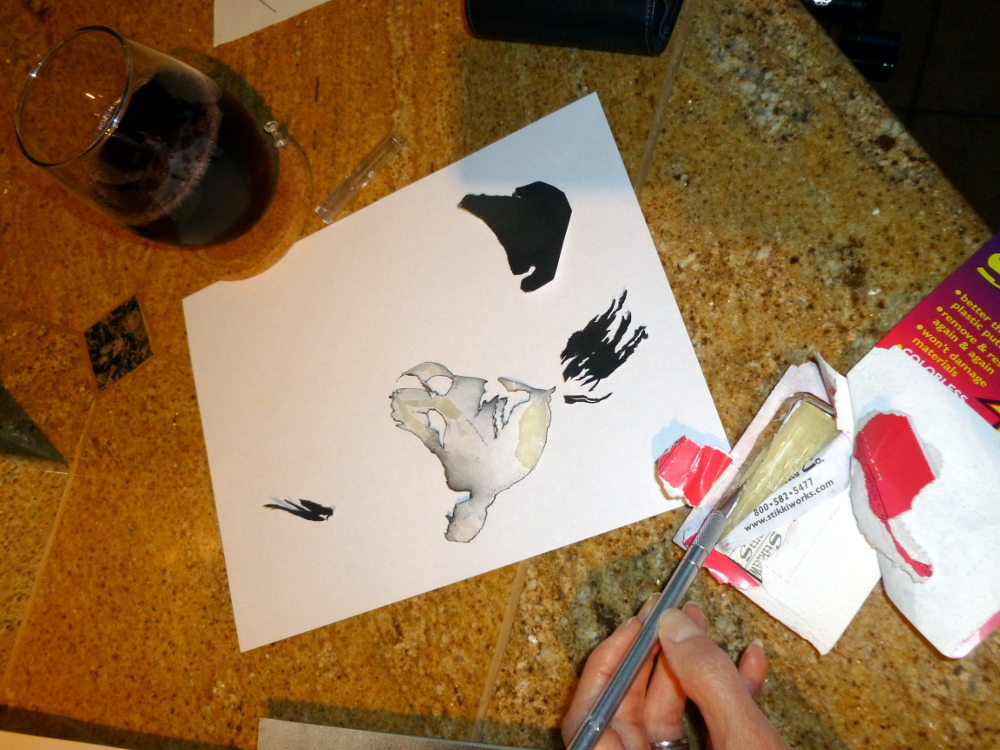
A lot of patience and some sangria
Sangria to help with nervous tension. Recipe: Make iced Passionberry Fruit Tisane from The Monterey Bay Spice Company (http://www.herbco.com/). Mix with red wine. A few ice cubes. Be careful with the Exacto knife.

Applying wax to the back side of stencil for second try

Re-stuck for second try

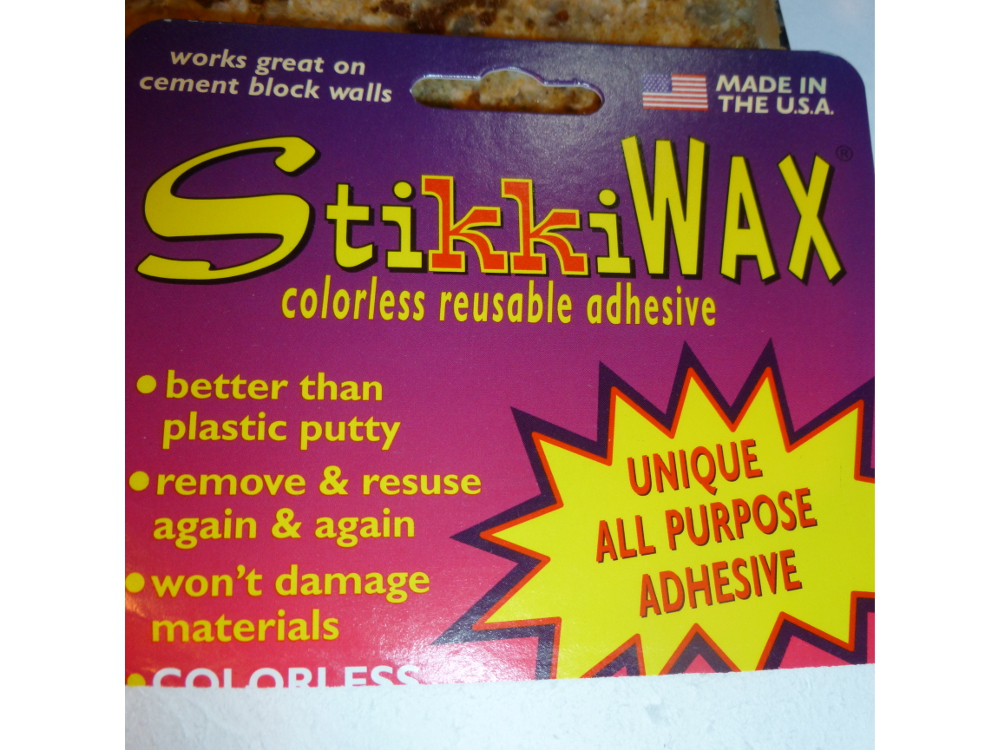
The cool waxy stuff:

Stencil wax

Step 4 again, this time with tempera paint:

Note cappuccino instead of sangria.

Step 5, remove stencil, discover step 4 failure. Also ruined stencil.
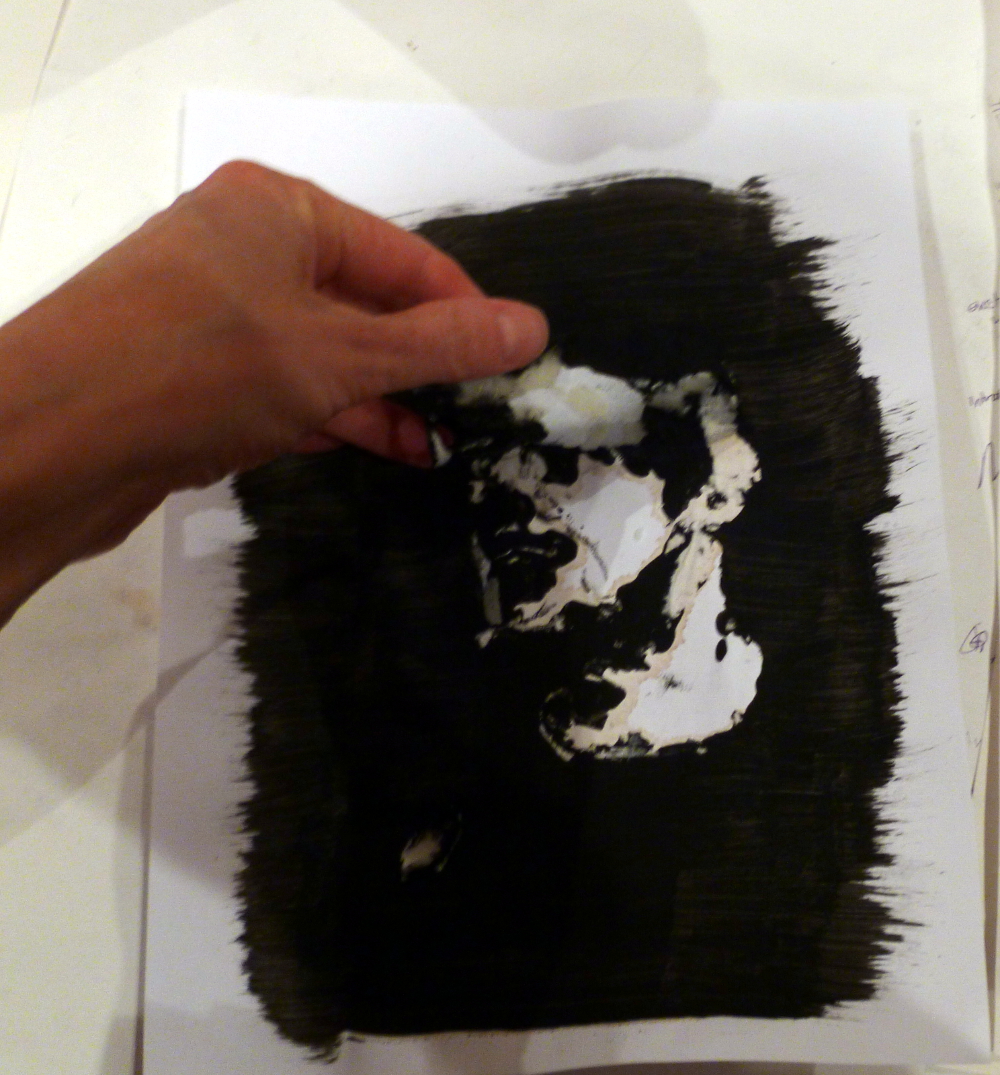
Second attemtp failure

***STARTING OVER***

Research how to do it completely with GIMP.

It didn’t work out exactly as described so here is documentation of the additional steps:

Thankfully have a photo of the spray-painted stencil, which is black now, and start with that. Make it a stencil using GIMP as described in completely with GIMP.

Thinking… Can I flip black and white? Should be simple. There’s something called Invert. Click. Nothing happens.

Struggle and experiment, use handy Select by Color (Tools->Selection Tools->Select by Color) to grab all the black.

Stencil from GIMP 2

Have dotted lines. Look in the Select menu. Find Float! Try that. (Note: This screen shot made by creating a new image, then File->Screenshot, selected The Whole Screen, then crop the result.)
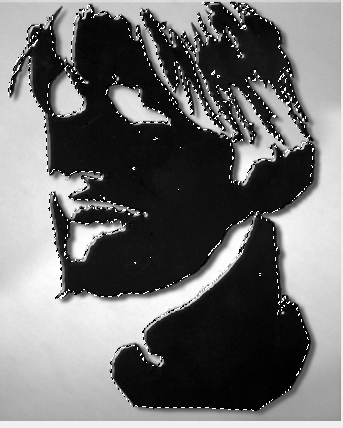
Screen shot of float

It’s floating. Can it be dragged free of that background? Yes.

Floated stencil

Now what? Click Edit->Copy. Now it’s in the clipboard.

Now create a new image, (1000×750, basic working size) and paste. Notice, probably didn’t have to move it off to the side as that actually had no effect. Just making it float was the key to detaching it from the background and copying it into the clipboard.
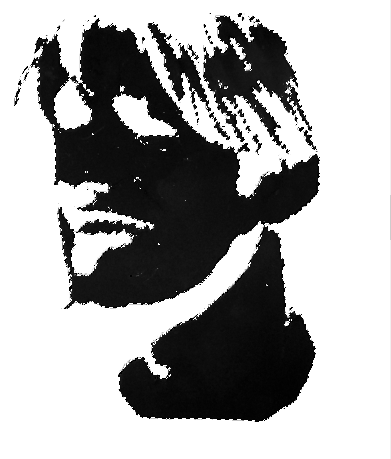
Paste into new imageI

It’s still floating. Can I invert it now? No. Instead, Tools->Selection Tools->Select by Color and click on the white part. Now white part is selected; you can’t tell, because the borders that are highlighted = borders of black, but it really is the white part, which you can tell when you do this: Edit->Fill with Pattern:
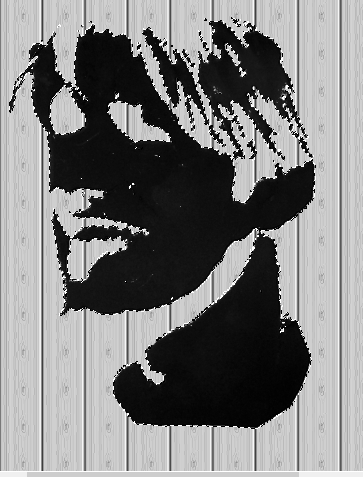
Fill with pattern

Do Tools->Selection Tools->Select by Colors again and click on the black part. Does Invert work now? No. That would be too easy. How about Edit->Fill with Background Color? Expecting the vinyl paneling in the stencil, get this instead, the whole point of the entire stenciling exercise!

White stencil

Okay, can it be less white? Yes, but can’t remember how to make it gray. Did that somehow. (Will update this post when it’s re-discovered.)

However, can now just Control C or Edit->Copy the floating image, open the background (purchased from canstockphoto for $3) and paste from the clipboard. The image is still floating. Drag it to where you want it.

Last step, anchor it. Could this be easy? Of course not. Go to Windows->Dockable Dialogs->Layers. Find the layer in the box to the right. First adjust the opacity down so it’s kind of transparent. Then, at the bottom of that dialog box, find the little anchor symbol and click it. Sometimes. Little anchor symbol was no longer there when this was written but it was there the first time. No hallucination… really, just had coffee. Whew, anchor also exists under the Layer menu.

floated onto background

Hint: If you accidentally lose the ability to move your floating level, go to Tools->Transform Tools->Move. That puts you back in move mode.

Jason on T-shirt
Ta da!

Conclusion: Since the spray painted stencil was less of a disaster than the tempera paint, sangria is better for art work than coffee.


The (art) education of Nia Simone, GIMP

Blogging brings new people and new things to try, like learning art, for now a self-education, but one day, who knows?

Today’s discovery: How to tone down the green after auto-enhancing the color in header photo.

Original photo:

Original header
Original photo (cropped out of a photo to fit the header shape)

To increase pop, perform Colors->Auto->White Enhance then Colors->Auto->Color Enhance:

Tangariki
Experiment 1 with auto white balance, then auto color enhance. (Tongariki on Easter Island.)

Too green. But… better than the washed-out original.

A week later, notice something called “Fade Color Enhance” appears in the Edit menu, but only after you have performed a color enhancement. If you perform a color enhancement, close the file and re-open it, you do not get this operation showing in the Edit menu.

Use Edit->Fade Color Enhancement to tone down the color on the whole picture. It gives you a preview and a sliding scale so you can see what the adjustment is doing. Get the undesired color down to where you want it, then tone up the colors you want to intensify. 

In this example, select the other colors (non-green) one at a time by using Tools->Selection Tools->By Color Select, then Colors->Auto->Color Enhance.  

When all the colors are done, use Select->None to eliminate the selection dashes so you can see the results. If you like it, File->Export it to JPEG. Otherwise, use the same process to intensify more colors. 

The result is at the top of today’s post (and in the new blog header image). There is not so much green on the statues.

Blogisphere appreciation day for Mr. Walk and Talk

Nia Simone, fashion klutz. But from this fantastic blogger, Justin, at Mr. Walk and Talk, inspiration to try some layers and actually not wearing a jean jacket with jeans, results in a slightly better look than usual today.

Hint: do not take photos in front of a white screen. Thought it was a great idea. It’s not.

P1020687

Pair of shoes, old, but actually the one thing that wasn’t cheap… er…inexpensive.
Jeans: JC Penney Juniors department. A few years ago.
Sweater: Newport News, out of business. Sweater has been through a hot dryer one too many times.
Shirt: Ralph Lauren, from Ross.
Purse: Baggalini City Bag. I have 4 of these, 2 black, 2 red. Red in the winter, black in the summer. When one is dirty, throw it in the washing machine and use the other one.

Seriously, do check out Justin’s blog. He is inspiring.

Workaholism, a poem by Nia Simone

Soliloquy

It’s wonderful how September
rhymes with remember.
Remember when you took off
the month of September?
Three years later, what
did you lose by missing
that month of September?

It’s interesting how year
rhymes with tear.
Except when tear
rhymes with rare
which definitely doesn’t
rhyme with peer,
but then again that
rhymes with year.

I know you don’t forget
the year you had of tears
the tear (rhymes with rare)
made in the fabric
that sews you all together
with the people
who make
a living quilt
that holds you in that safe
warm
all-is-right-with-the-world
place.
In the end, did the year
of tears and
(rare) tears
reduce your body
of work
by much –
by any,
at all?

It all gets done
and it’s never done
it all adds up
even the subtractions
even the rends
in your heart
that heal over
just enough
to allow it to continue
beating
despite its wound and
because of its wound
the right work… perhaps…
gets done.

March 12, 2013 Nia Simone

Compelling Yet Cozy, book review, When Snow Falls, by Brenda Novak

This book was my first Brenda Novak and it made me a fan, particularly of this series, as it helped through a challenging holiday season. When my real-life, nail-biter situation of two friends in the hospital woke me in the middle of the night, I read When Snow Falls under the covers with my flashlight (so as not to wake dear hubby). The combination is perfect:

  • Compelling page turner
  • Cozy white Christmas
  • Good and not-so-good but very realistic characters

I love Cheyenne. I feel like I would make every decision Chey makes and feel every feeling that Chey feels, if I were in her circumstances. One time, after she did something, she said, “That was so colossally stupid.” I love that line! I could see myself doing that very thing and then slapping my forehead and saying that.

There’s a juicy twist, partway in, that I didn’t see coming at all!

All that and a satisfying end. Who needs whiskey when you can have Whiskey Creek?